Activity boards are one of the most practical visual management tools in Lean, TPM, and daily management. A good board helps a team see the current condition, understand the gap, agree on actions, and follow up until problems are closed.
The purpose is not decoration. The purpose is control and improvement. When an activity board is used correctly, a supervisor, operator, maintenance technician, engineer, or visitor can quickly understand what matters, what is off target, who owns the next action, and what support is needed.
Most weak boards fail for simple reasons: they are not updated, they are too complicated, nobody owns the actions, the meeting routine is unclear, or the board shows information but does not trigger decisions. This guide explains how to design and use visual management boards so they support real daily work.
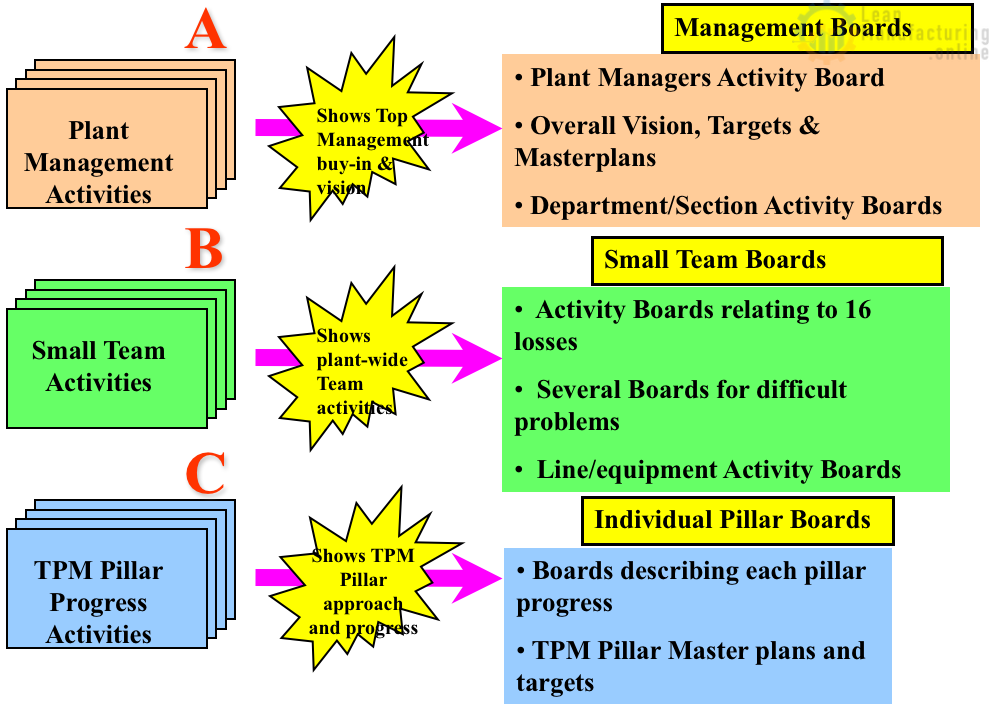
What is an activity board?
An activity board is a visual workplace board used to manage goals, performance, actions, abnormalities, improvement projects, standards, and team communication. It may be used at plant level, department level, production line level, maintenance level, safety level, or project level.
The board should answer five questions:
- What is the target?
- What is the actual result?
- What is the gap?
- What action is being taken?
- Who owns the action and by when?
If the board cannot answer those questions, it may be informative, but it is not yet managing the process.
Why activity boards matter
Activity boards create a consistent way to communicate. They make progress visible at a glance, support team meetings, show priorities, display improvement work, and make it easier to escalate problems. In a TPM environment, activity boards also help connect plant objectives with autonomous maintenance, planned maintenance, safety, quality, and focused improvement routines.
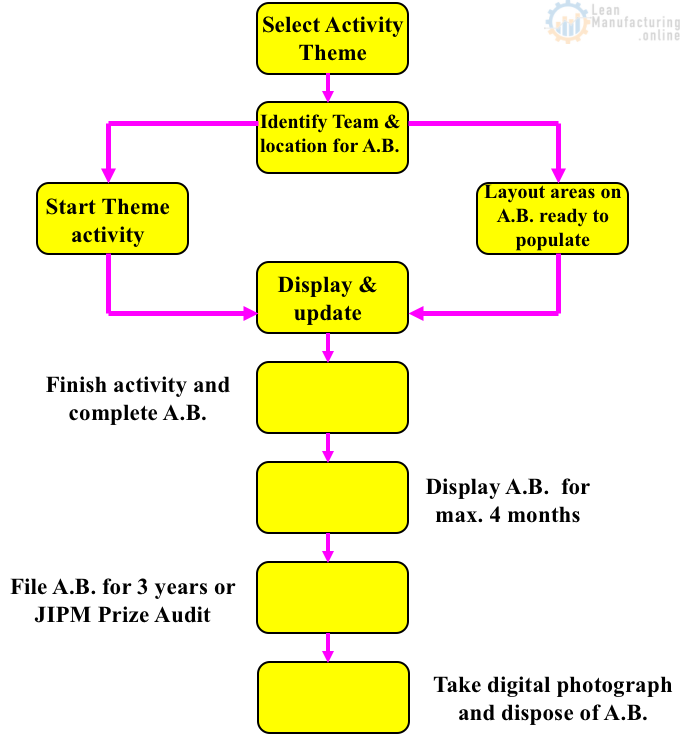
Activity board lifecycle
A board has a lifecycle. First, the team defines the purpose. Then it designs the layout, creates the first version, starts a meeting routine, reviews the data, closes actions, and improves the board as the process matures.
The lifecycle should not stop after the board is installed. A board that is never changed usually becomes wallpaper. A good board evolves as the team learns what information drives better decisions.
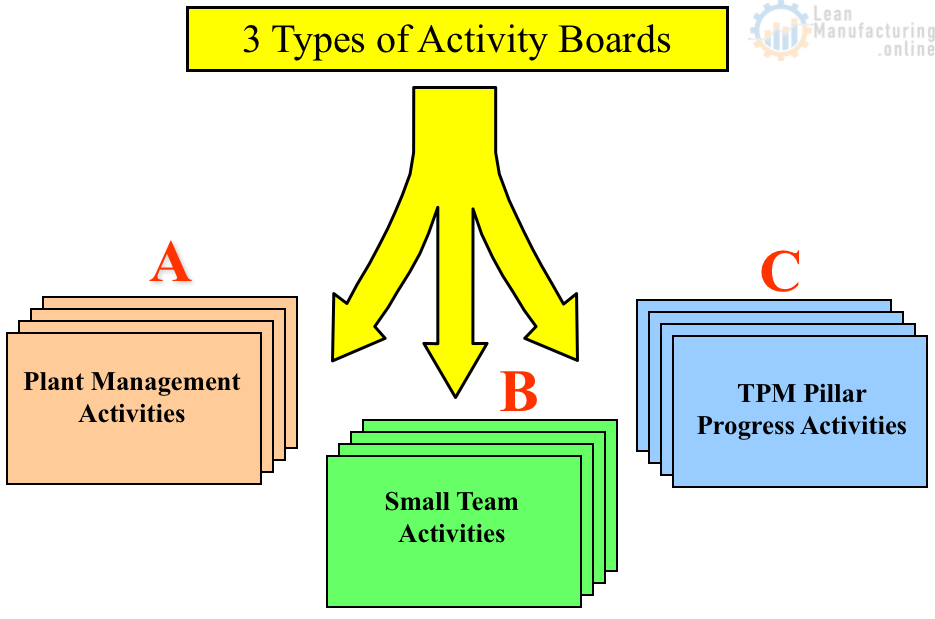
Types of activity boards
| Board type | Typical users | Main purpose |
|---|---|---|
| Plant management board | Leadership and department managers | Review strategic objectives, policy deployment, major KPIs, and escalation items. |
| Small team board | Operators, supervisors, maintenance, support teams | Run daily huddles, review SQDC/PQCDSM, assign actions, and follow abnormalities. |
| Pillar or project board | Improvement teams and TPM pillars | Track project progress, countermeasures, owners, milestones, and learning. |
| Safety board | All team members | Show safety priorities, risks, learning, observations, and corrective actions. |
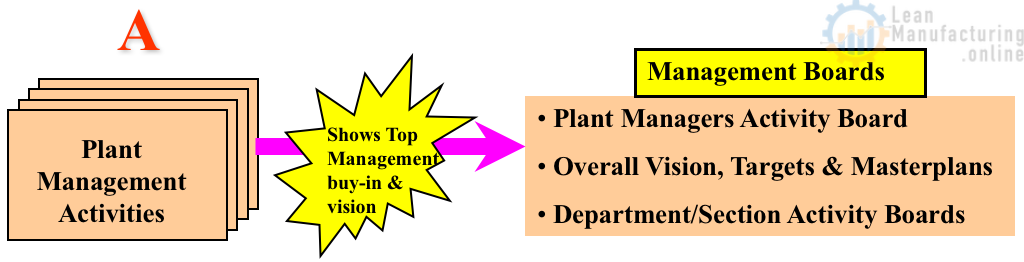
Plant management activity boards
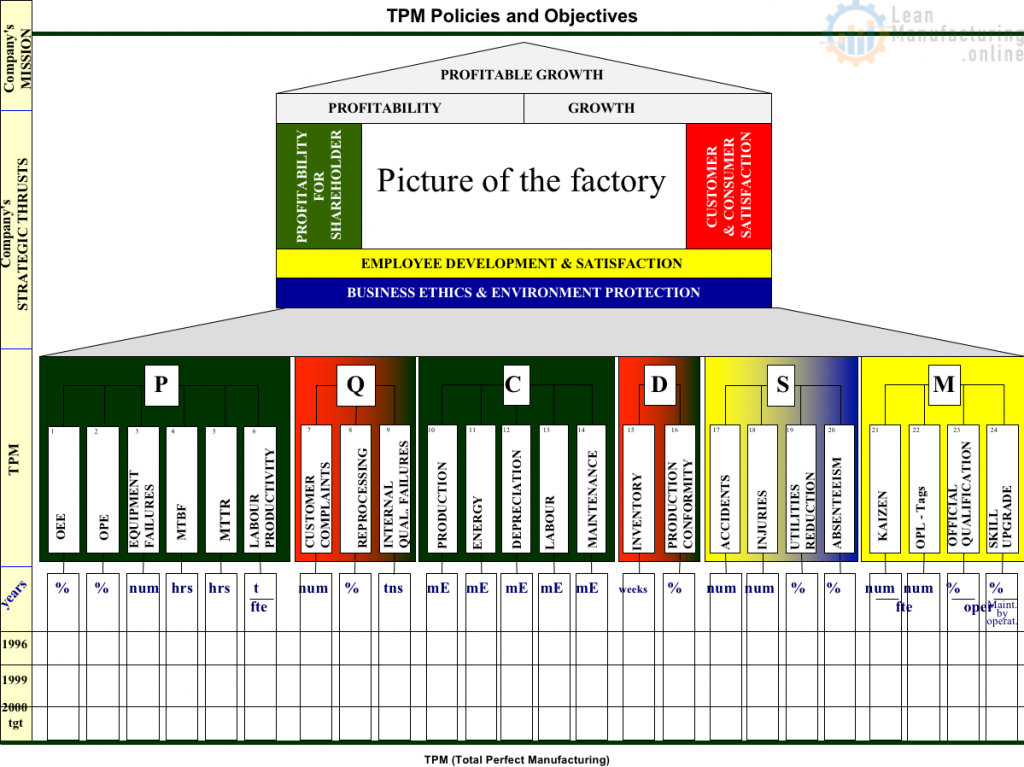
Plant-level activity boards connect strategy with execution. They usually show vision, mission, policy deployment, high-level KPIs, priority projects, audit results, and escalation topics. These boards should not contain every detail. They should show enough information for leaders to see whether the management system is working.
KPI boards and daily performance
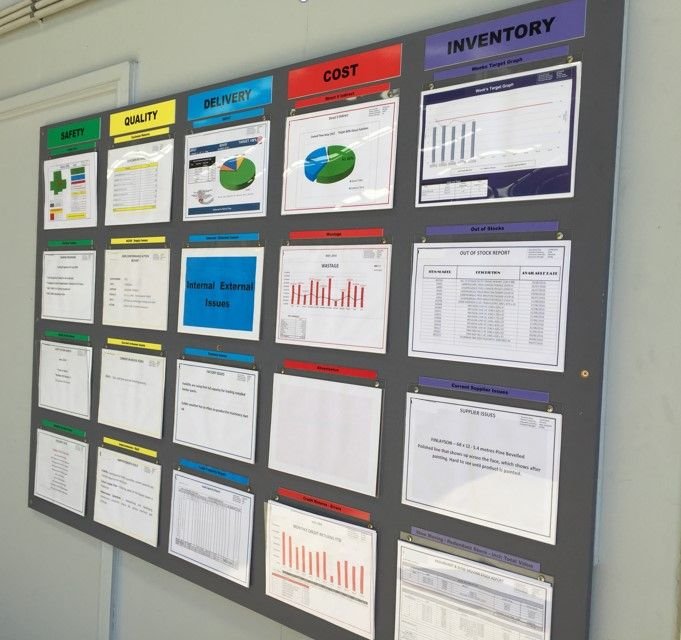
A KPI board should not only show numbers. It should show whether the result is good or bad, what changed, what action is being taken, and who owns the follow-up. Useful categories often include safety, quality, delivery, cost, productivity, morale, and improvement.
For deeper KPI design, connect the board to your manufacturing KPIs. A strong visual board turns KPI review into action instead of passive reporting.
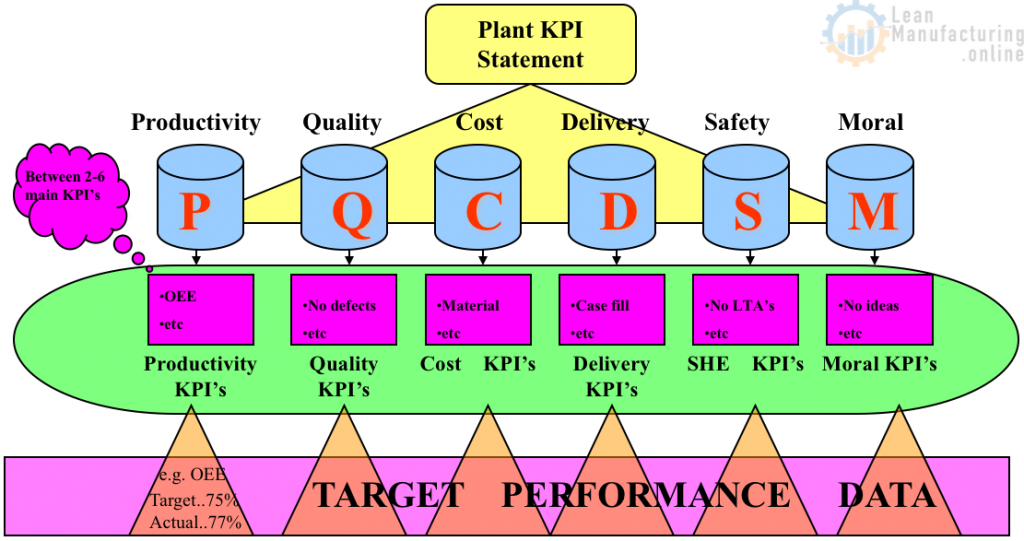
Shop-floor KPI deployment
Top-line measures must be translated into language that the shop floor can use. For example, a plant-level delivery KPI may become schedule attainment by line, changeover readiness, material shortages, or first-hour output. A quality KPI may become defects by shift, top defect category, rework, scrap, or first-pass yield.
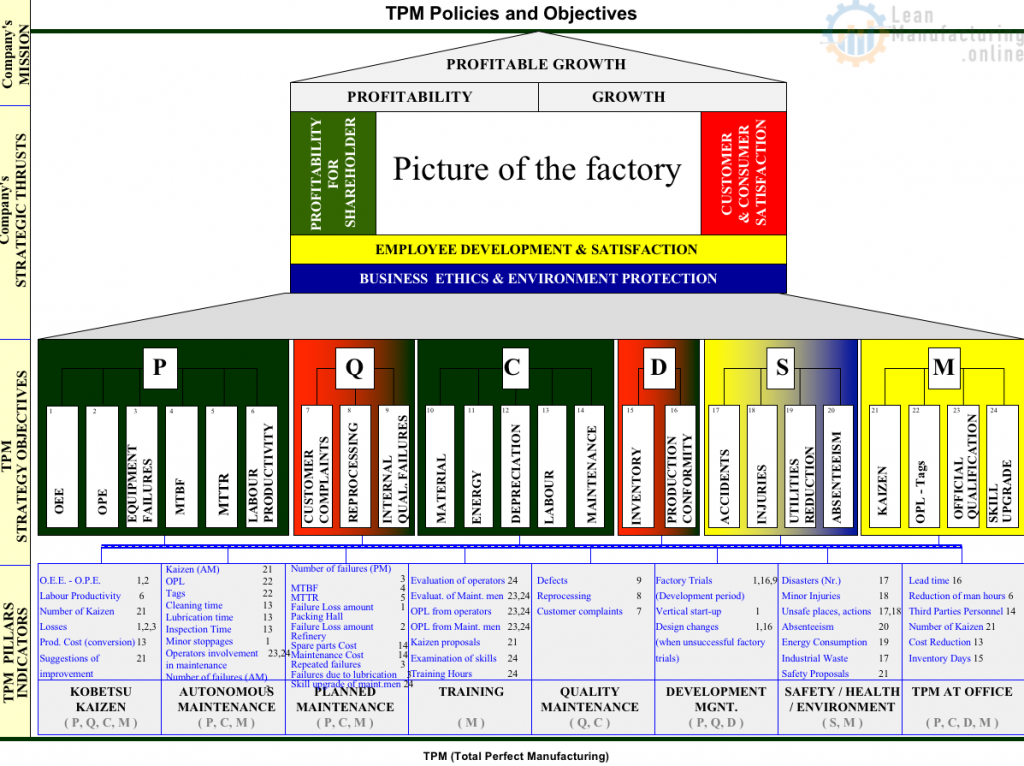
PQCDSM or SQDC board layout
Many teams use PQCDSM or SQDC categories to structure daily visual management. The exact letters are less important than the routine. The board must help the team review performance, identify gaps, assign actions, and escalate barriers.
| Section | What to show | Typical follow-up question |
|---|---|---|
| Safety | Incidents, near misses, hazards, open safety actions. | What risk needs action today? |
| Quality | Defects, rework, complaints, top quality losses. | What defect is repeating? |
| Delivery | Schedule, output, backlog, missed commitments. | What blocks customer delivery? |
| Cost/Productivity | Losses, downtime, waste, labor usage, OEE support metrics. | Where is the biggest loss? |
| Morale/Improvement | Ideas, training, actions closed, recognition. | What improvement should be supported? |
Action tracking is the heart of the board
A visual board without an action tracker is usually just a display. Every gap should lead to a clear action, owner, due date, and status. The action tracker is where the board becomes a management system.
Actions should be written clearly. Avoid vague items such as “look into issue.” Better wording is: “Check sensor bracket looseness on Line 2 filler and confirm countermeasure by Thursday.”
Small team activity boards
Small team boards support daily huddles. They should be close to the work area, easy to update, and owned by the team. The best boards are simple enough to maintain every day and specific enough to make problems visible.
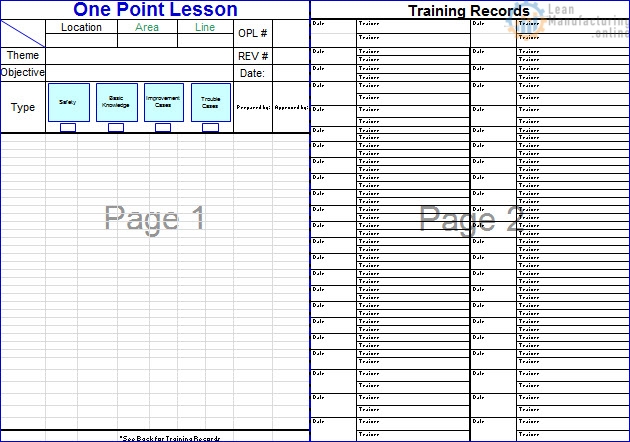
A small team board may include yesterday’s results, today’s plan, staffing, safety concerns, quality alerts, downtime losses, open F-tags, One Point Lessons, training needs, and improvement actions.
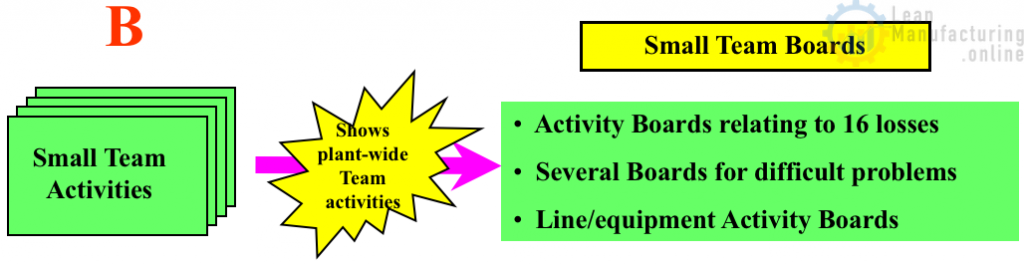
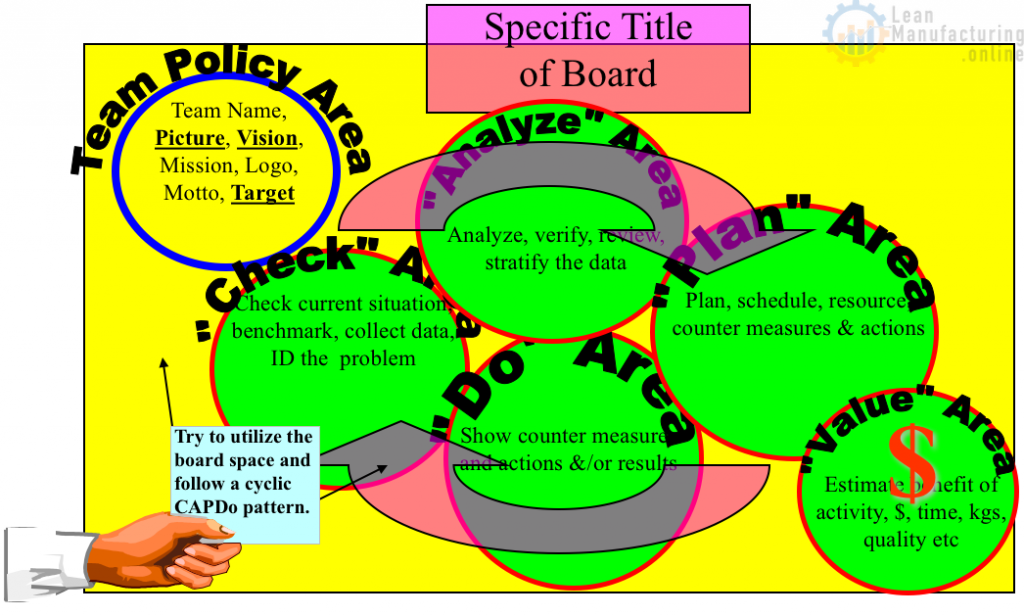
General areas of a team board
A practical team board usually includes five areas: results, standards, abnormalities, actions, and learning. Results show the current condition. Standards show how the work should be done. Abnormalities show what is not normal. Actions show ownership. Learning keeps the team improving.
Daily meeting routine
The meeting should be short, structured, and action-focused. A common routine is:
- Review safety first.
- Review yesterday’s result against target.
- Identify the biggest gap.
- Confirm open actions and overdue items.
- Assign new actions with owners and due dates.
- Escalate barriers that the team cannot solve alone.
- Close with the plan for today.
The board should support the meeting, not dominate it. If the meeting becomes a long explanation of every chart, the board is too complicated.
Using boards during Gemba
A board is a strong starting point for a Gemba Walk. Leaders can ask what is abnormal, what changed, which actions are overdue, and what support the team needs. The Gemba discussion should connect the board to the real process, not replace direct observation.
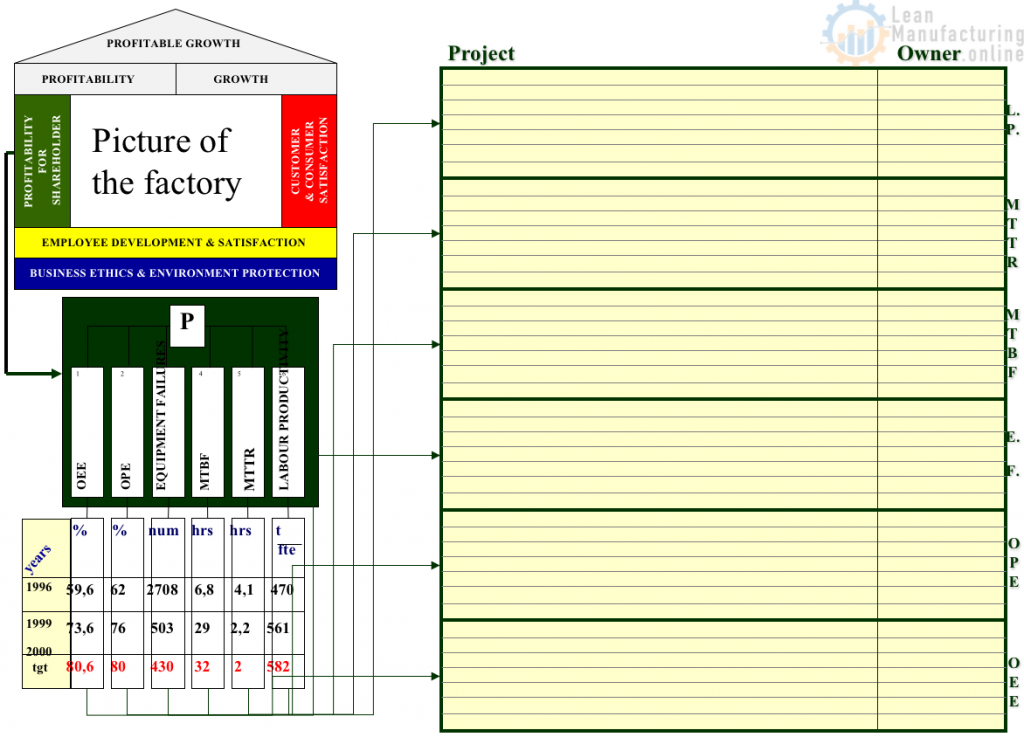
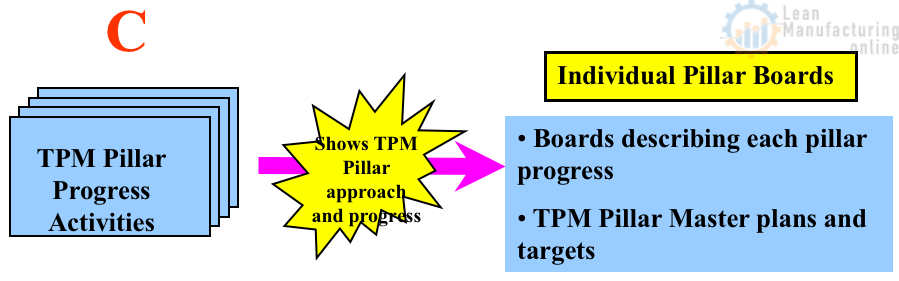
TPM pillar and project boards
TPM pillar boards help teams manage longer-term work such as Autonomous Maintenance, Planned Maintenance, safety, quality maintenance, focused improvement, and education. These boards should show the roadmap, current step, completed actions, blockers, audit results, and next milestone.
Safety activity boards
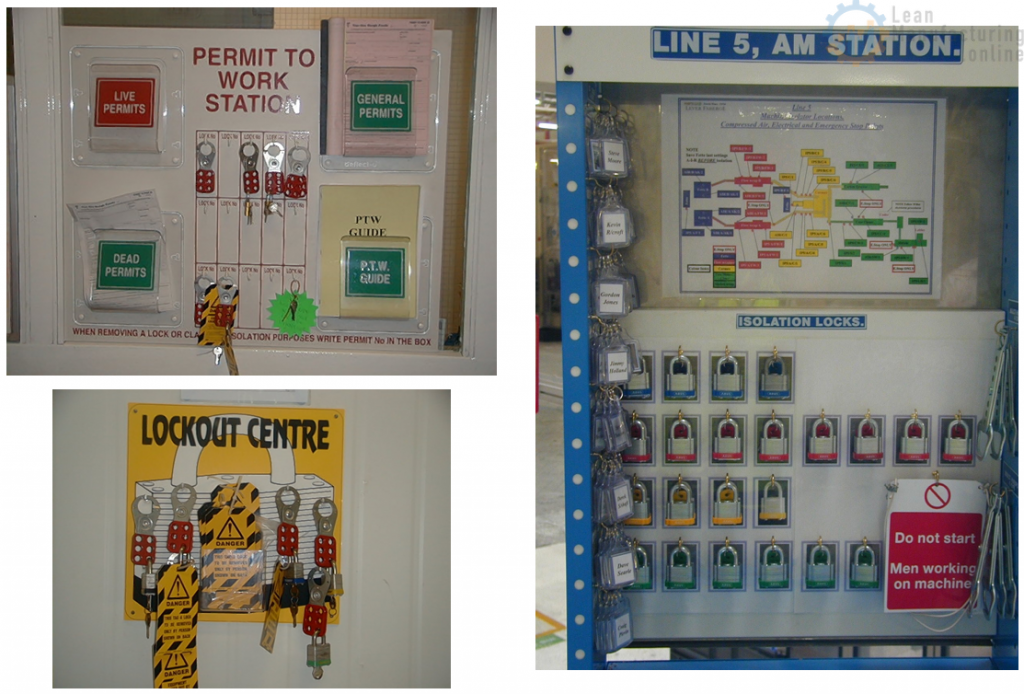
Safety boards should make risks, observations, and corrective actions visible. They can support near-miss follow-up, safety observations, open actions, training reminders, and hazard communication. If the issue is urgent or high risk, do not wait for a board update. Escalate using the site safety process.
For safety-specific abnormality tagging, connect the board with Safety F-tags.
How activity boards support problem solving
When the same issue repeats, the board should trigger problem solving. Use 4M Analysis to structure possible causes around Man, Machine, Method, and Material. Use Why-Why Analysis to dig deeper into cause-and-effect logic.
The board should not become a place where problems are listed forever. It should help the team move from issue, to cause, to countermeasure, to verification.
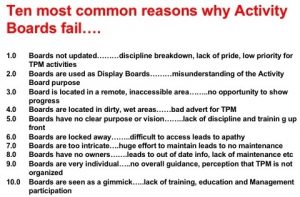
Common reasons activity boards fail
- Not updated: the board loses trust when old information remains visible.
- No owner: everyone sees the issue, but nobody owns the action.
- Too much information: the board becomes cluttered and hard to use.
- No meeting routine: the board exists, but no one reviews it consistently.
- No escalation path: barriers remain stuck at team level.
- Only good news: real problems are hidden, so improvement stops.
- No closure standard: actions are marked done without checking effectiveness.
Activity board checklist
- Is the purpose of the board clear?
- Can the team update it quickly?
- Are targets and actual results visible?
- Are gaps highlighted clearly?
- Does every action have an owner and due date?
- Are overdue actions escalated?
- Are safety, quality, delivery, cost, and improvement topics balanced?
- Are old charts, closed actions, and outdated messages removed?
- Does the board connect to daily meetings and Gemba walks?
- Does the board support the wider TPM or Lean management system?
Make the board change behavior
An activity board is not successful because it looks professional. It is successful when it changes behavior. The team should use the board to see problems earlier, make better decisions, assign ownership, escalate barriers, share learning, and close the loop. That is visual management in practice.






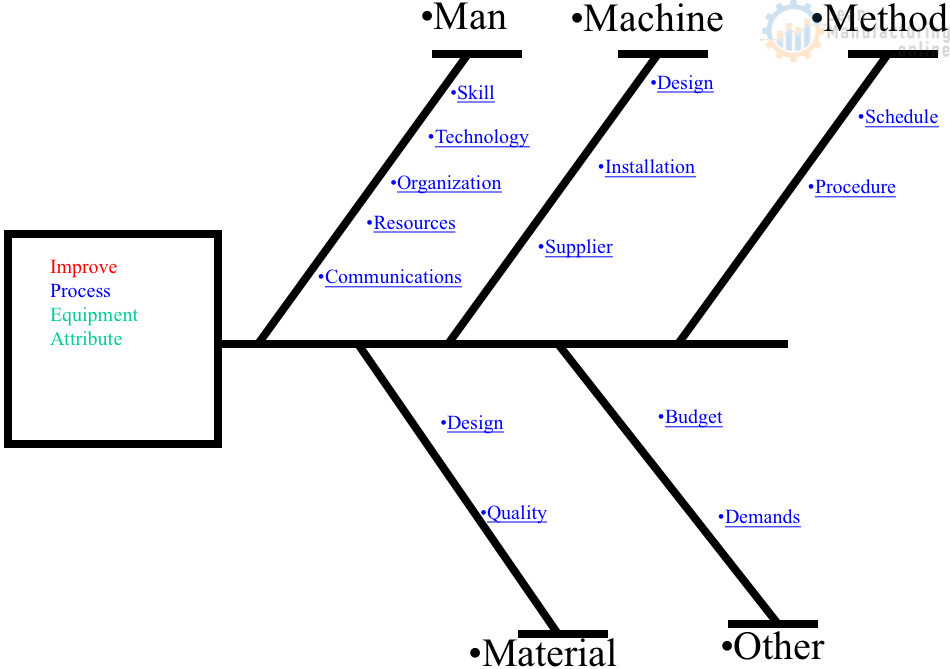
4M Analysis Process: Root Cause Guide for Manufacturing
Learn how to use 4M Analysis to find manufacturing root causes across People, Machine, Method, and Material with diagrams, examples, and checklist.